Windows Powershell、CMD美化
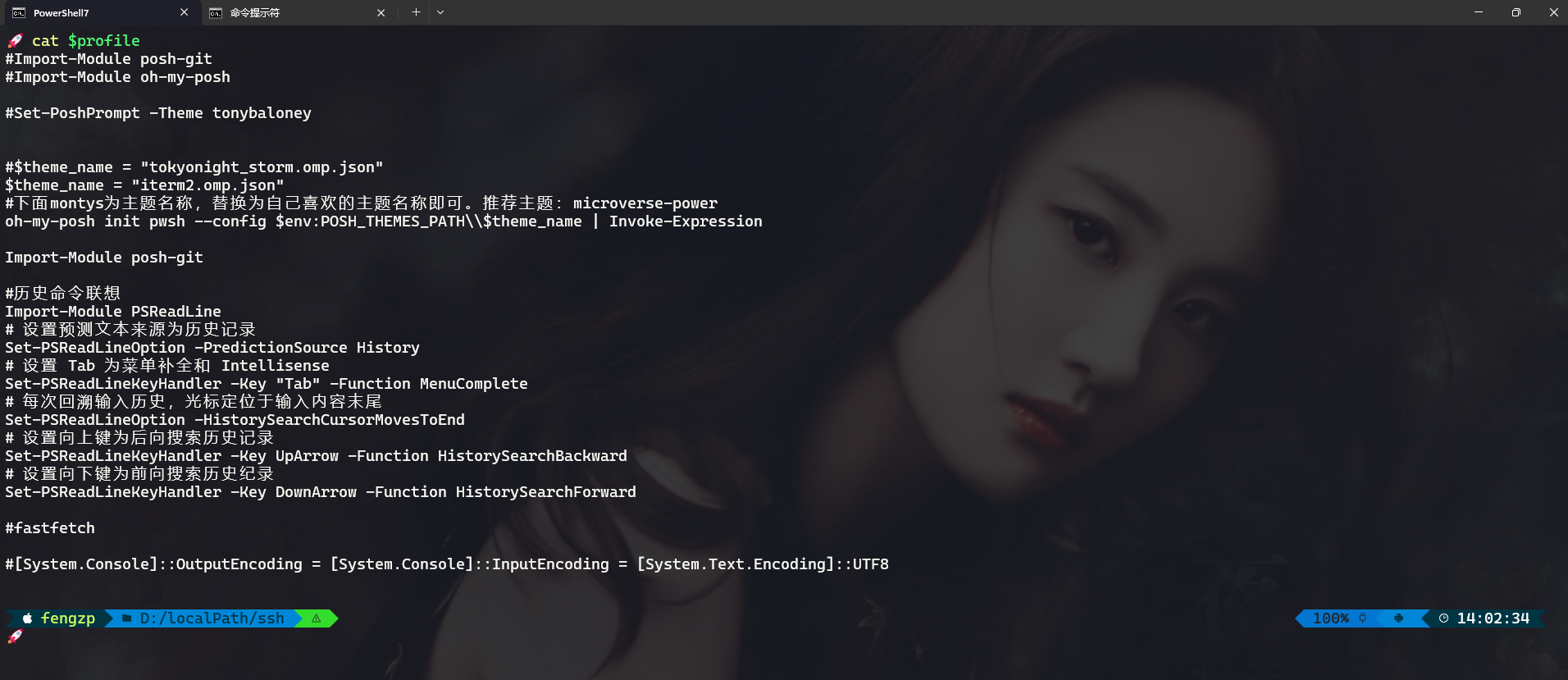
对于使用惯了Linux/Mac的下的oh-my-zsh来说,Windows的命令行显得格外的“简约”。那么有没有办法为windows下的命令行“穿上”漂亮的“衣服”呢?答案就是oh-my-posh。
按照惯例,系统中使用的工具尽可能使用scoop安装,具体Scoop请参考Windows平台包管理神器
Powershell美化
- 安装powershell及工具
Windows10/11 默认使用的Powershell版本是5.x的,这里我们使用powershell core 7.4.x lts版。
1 | scoop install windows-terminal pwsh oh-my-posh posh-git # 安装powershell及美化插件oh-my-posh、posh-git |
windows-terminalWindows现代化的终端管理器,可设置背景图片,字体等。可配置多个终端,如已安装可省略,不是必须的。pwsh windows跨平台的命令行工具,Powershell core。oh-my-poshpowershell美化插件(module),包含多种主题posh-gitpowershell git美化插件(module)。
- 编辑配置文件
打开pwsh,输入vim $profile编辑配置文件,默认$profile文件指向C:\Users\{用户名}\Documents\PowerShell\Microsoft.PowerShell_profile.ps1,输入以下内容:
1 | $theme_name = "iterm2.omp.json" |
这里使用的是iterm2主题,可使用Get-PoshThemes命令查看所以可用主题,然后把$theme_name变量替换为想要使用的主题即可。
- 配置生效
修改完配置文件记得使用. $profile命令使配置文件生效,不用重启powershell。
CMD命令行美化
Windows下的cmd.exe本身不能使用oh-my-posh,这里借助clink,使cmd也穿上漂亮的衣服。
-
安装工具
使用scoop安装clink,oh-my-posh上面已经安装,这里不再重复安装。1
scoop install clink
-
编辑配置文件
在clink的安装目录新建一名为oh-my-posh.lua的文件,因为使用scoop安装,配置文件为$env:SCOOP\apps\clink\current\oh-my-posh.lua如果使用安装程序目录可能不一样。1
2
3
4
5
6-- oh-my-posh的主题路径
local theme_path = os.getenv("POSH_THEMES_PATH")
-- 定义变量 主题名称
local theme_name = "iterm2.omp.json"
-- 加载oh-my-posh
load(io.popen('oh-my-posh init cmd --config ' .. theme_path .. '\\' .. theme_name):read("*a"))() -
配置生效
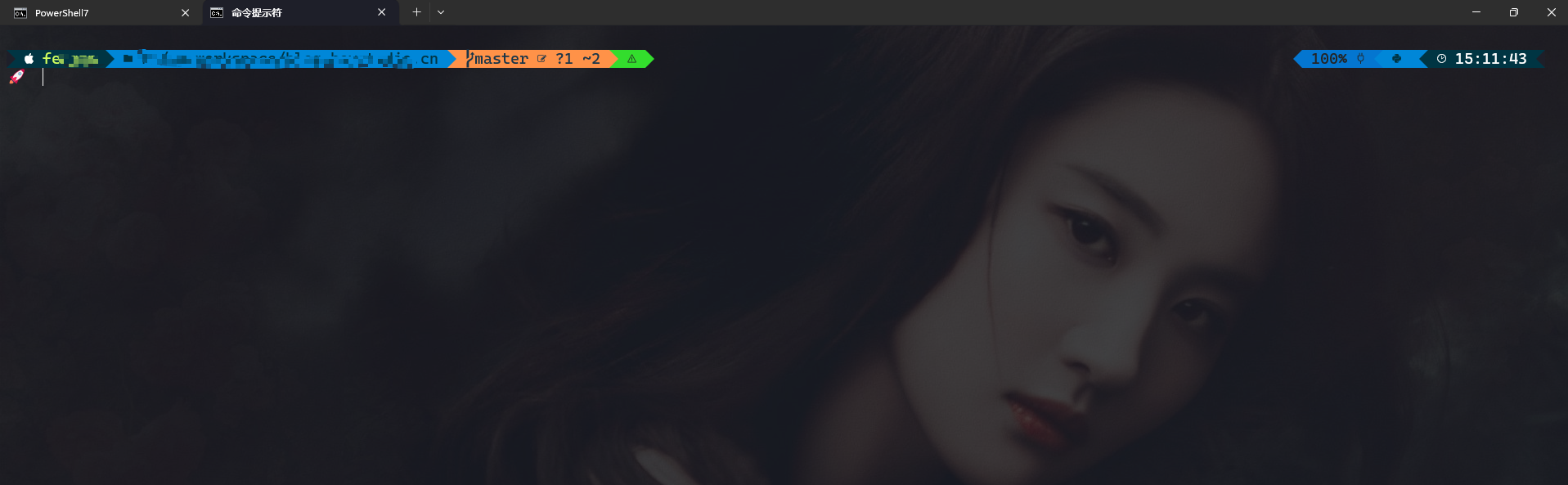
此时运行cmd.exe显示的还是原装的样子,在命令行下执行clink autorun install,再次打开cmd就变漂亮了,但是,默认的cmd不能修改为powerline字体,导致主题图标无法显示,解决办法是在windows-terminal中运行cmd,并设置支持powerline的字体。如下图:
starship
starship是用Rust写的一个命令行美化工具,使用起来比oh-my-posh更简单,使用起来更方便。与cms集成时依赖clink。
- 安装工具
1 | scoop install starship |
- 编辑配置文件
修改starship配置文件$env:USERPROFILE\.config\starship.toml。如果嫌配置麻烦,可使用预设配置,使用以下命令生成配置文件:
1 | starship preset --list #查看预设配置 |
写在最后
高端的食材往往只需要最朴素的烹饪方式。
不管是oh-my-posh、starship还是clink,做为插件肯定会影响命令行性能,在体验和性能之间,我最终选择了性能。命令行本来就是为了快速执行命令,美化只是一时爽,去掉美化一直爽。